
Low-Fidelity Wireframes
Wireframes for a Reminders App
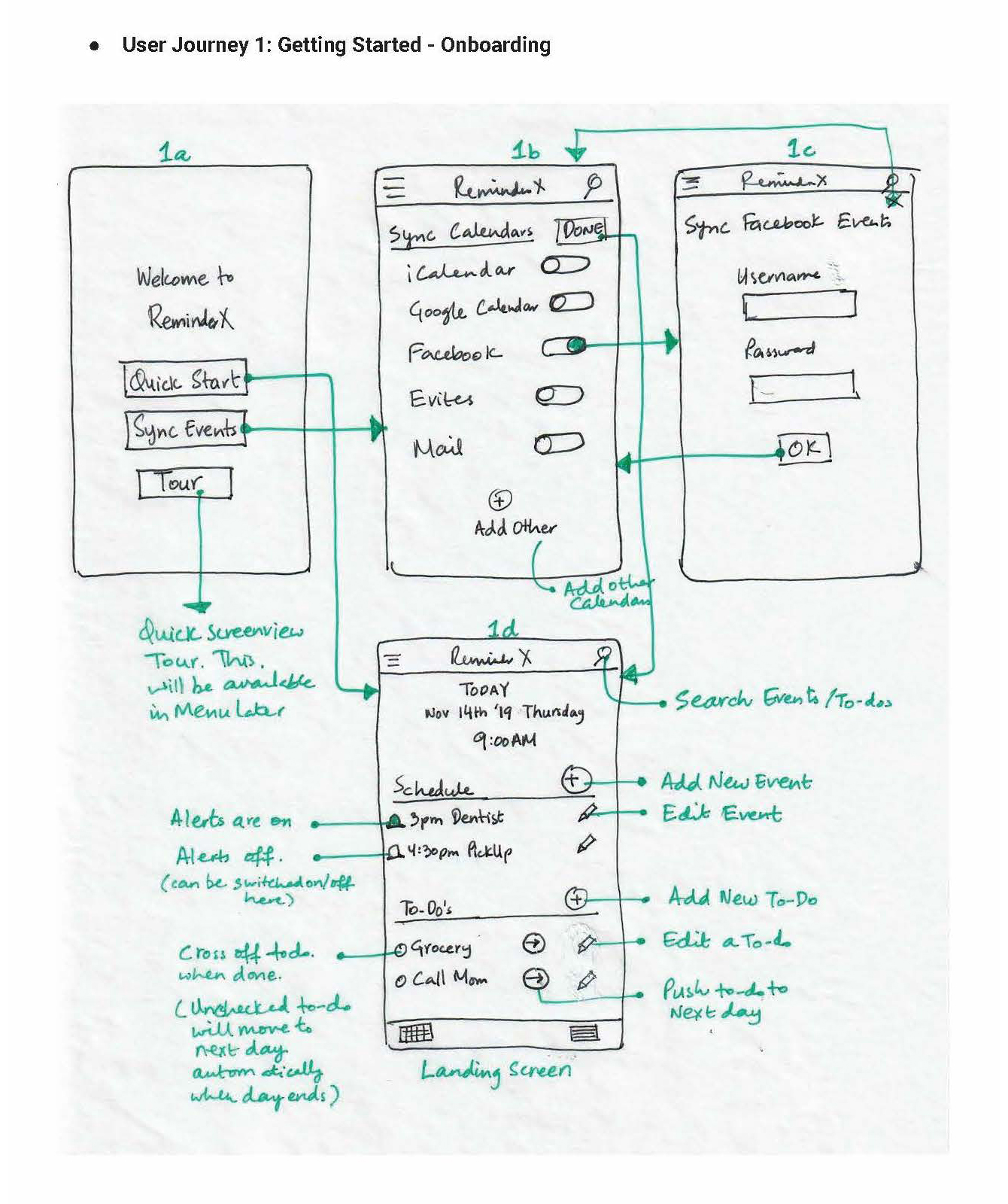
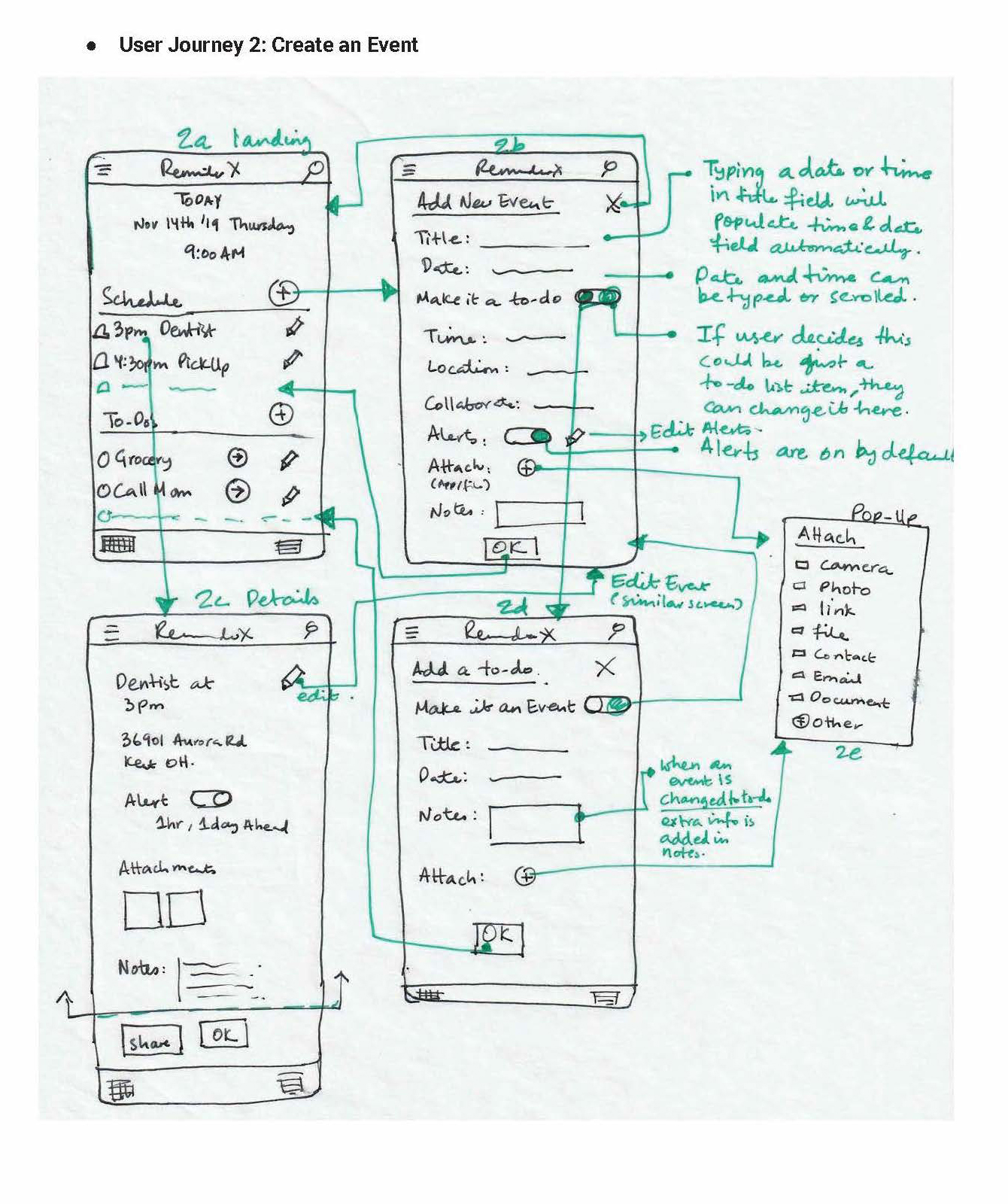
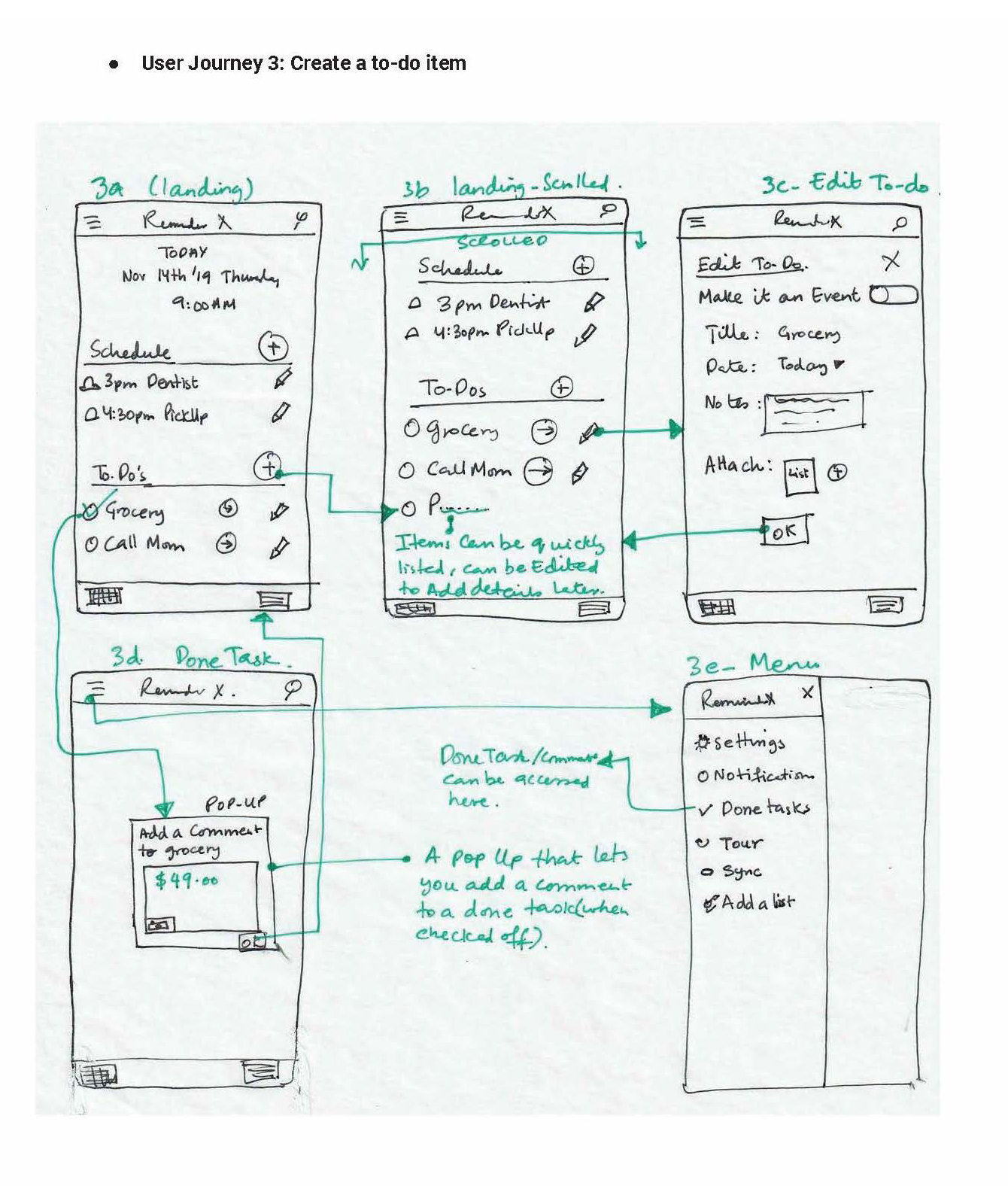
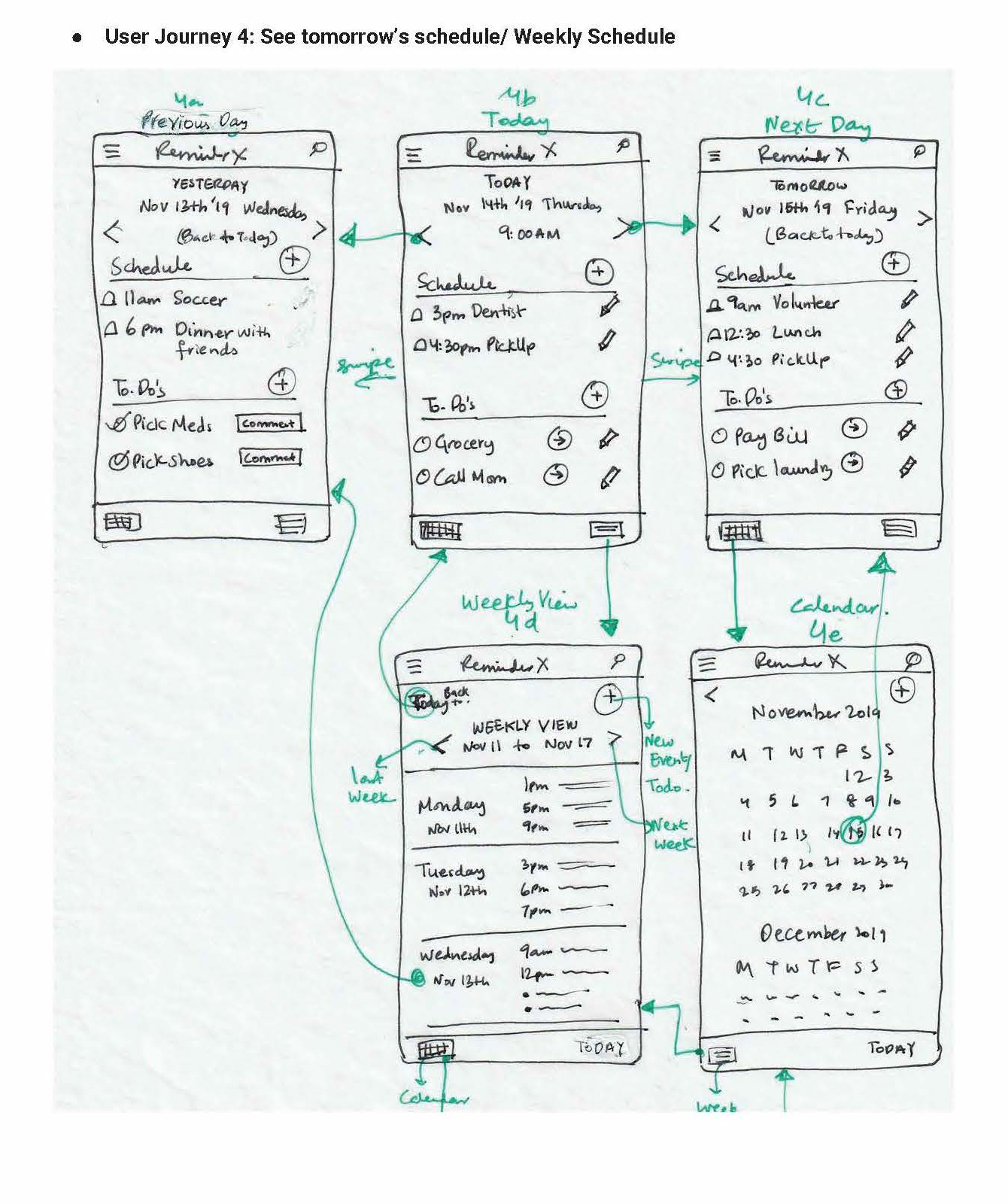
This set of wireframes outlines the core user flows and interface design for an application focused on creating, managing, and organizing personal reminders.
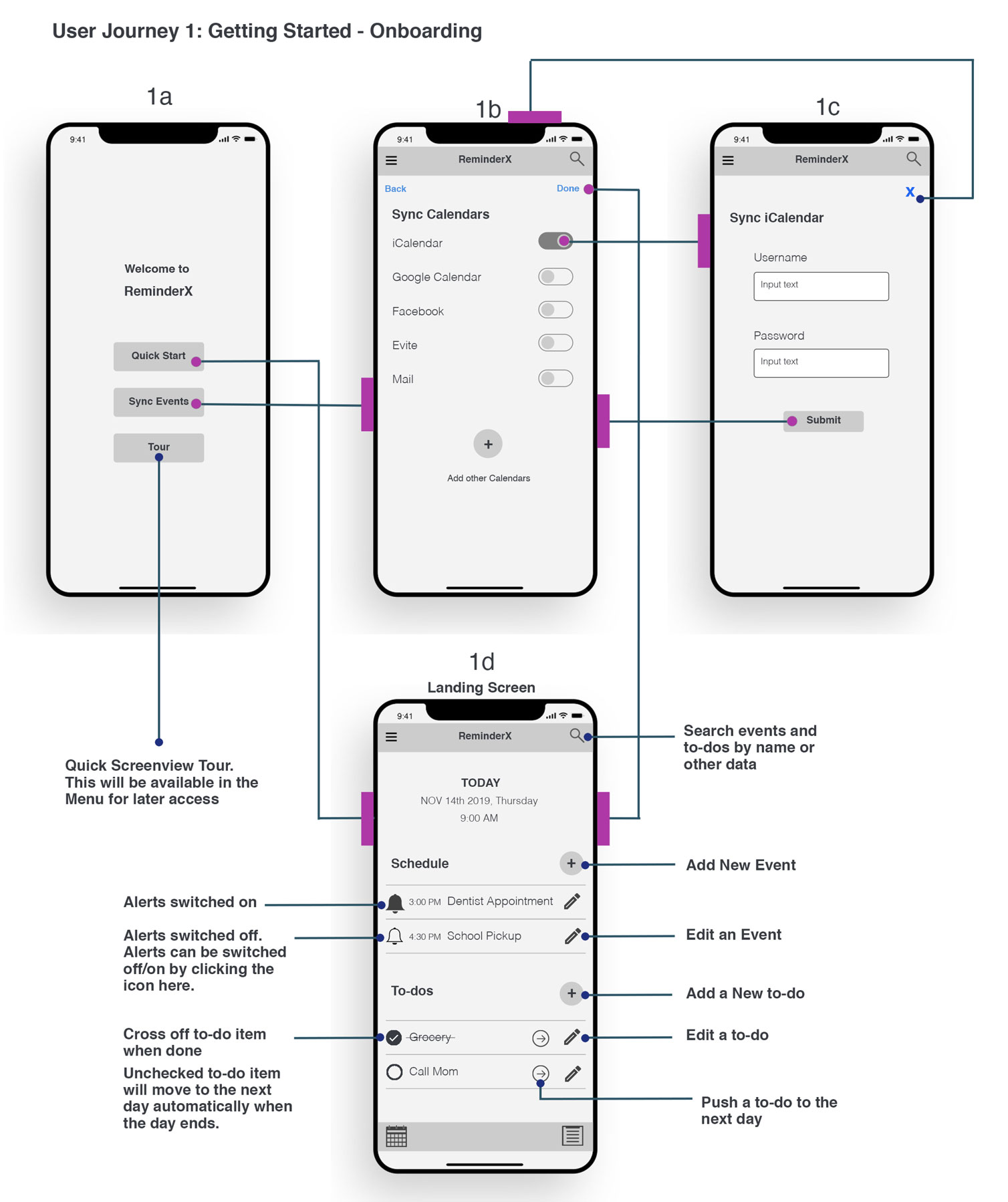
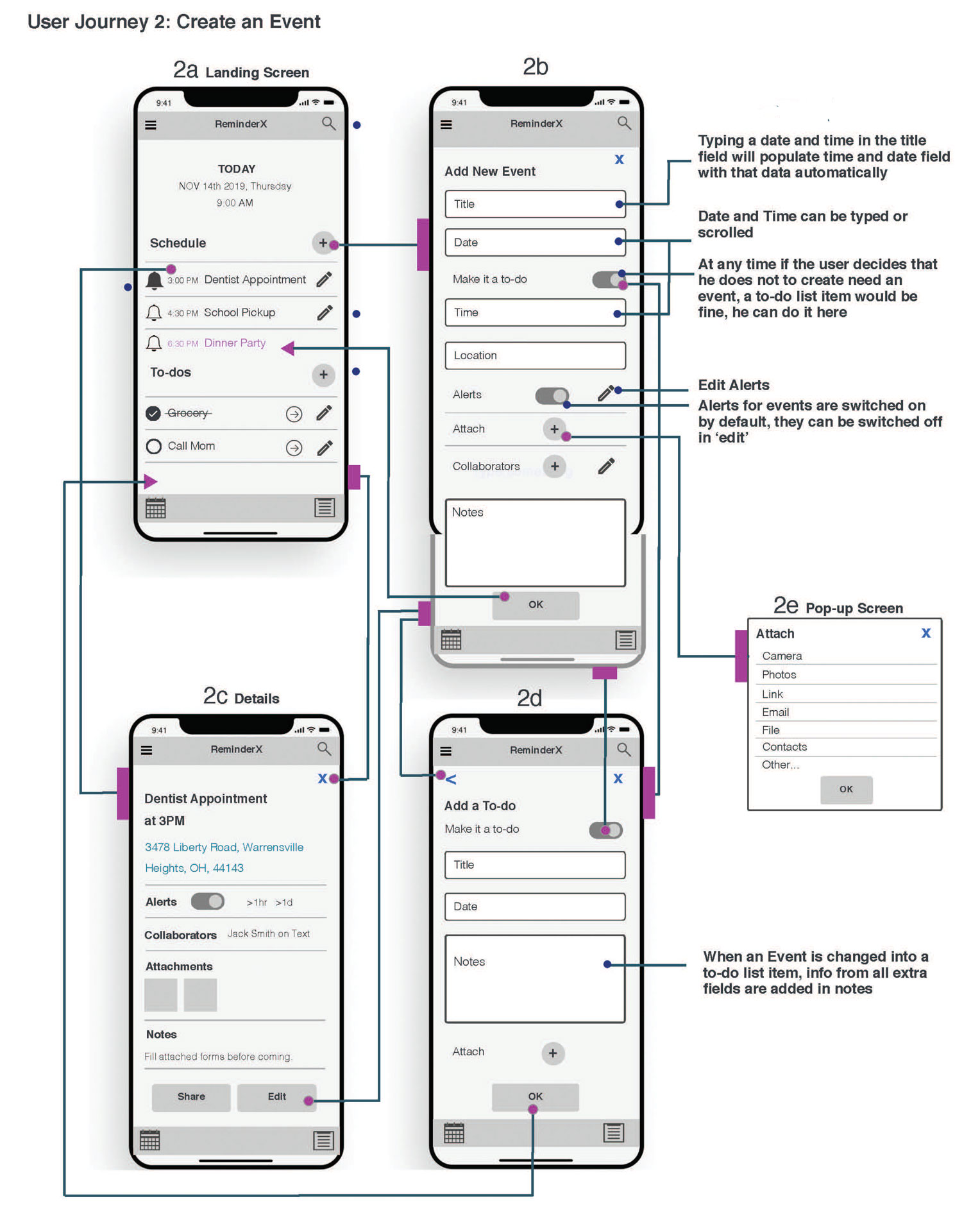
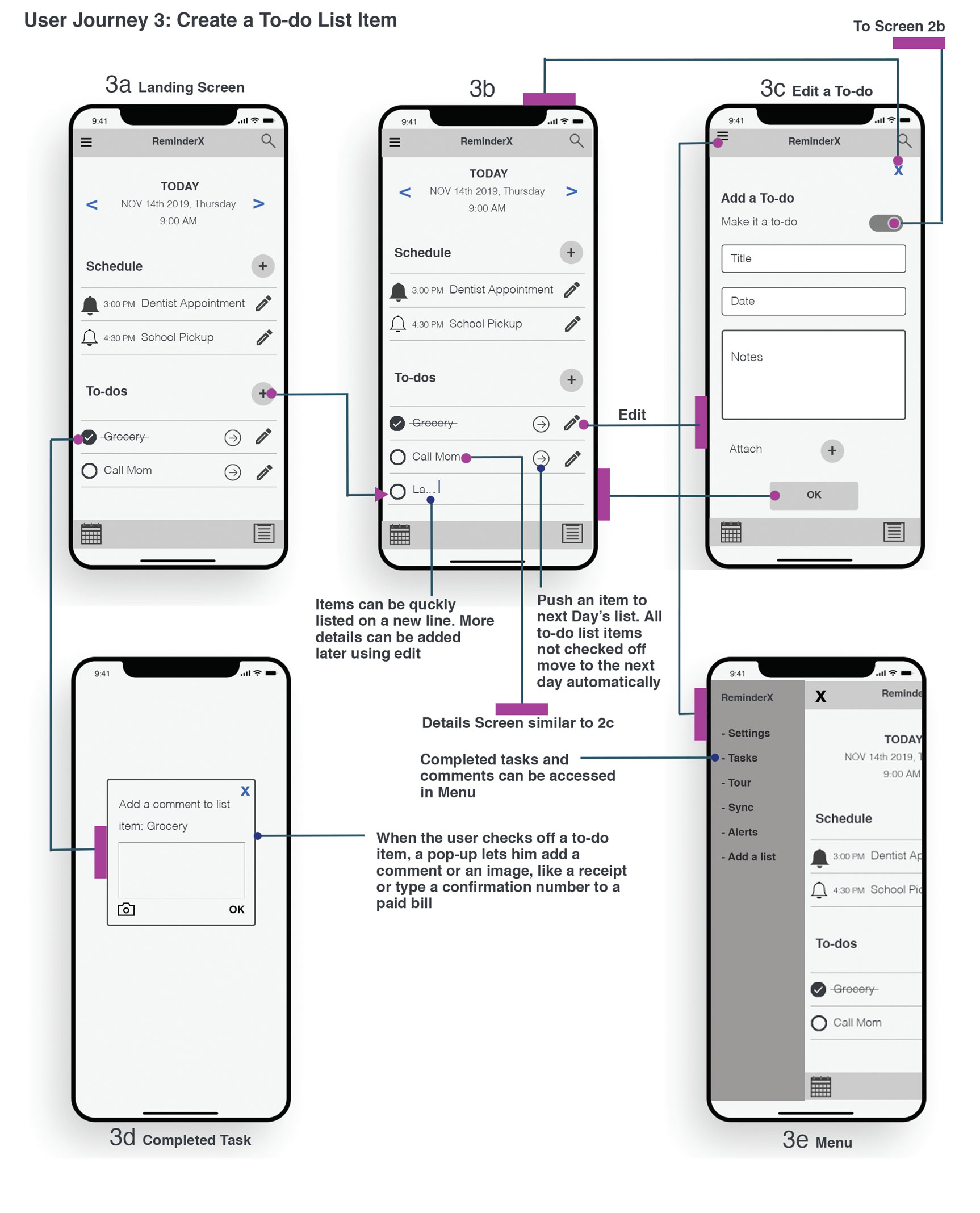
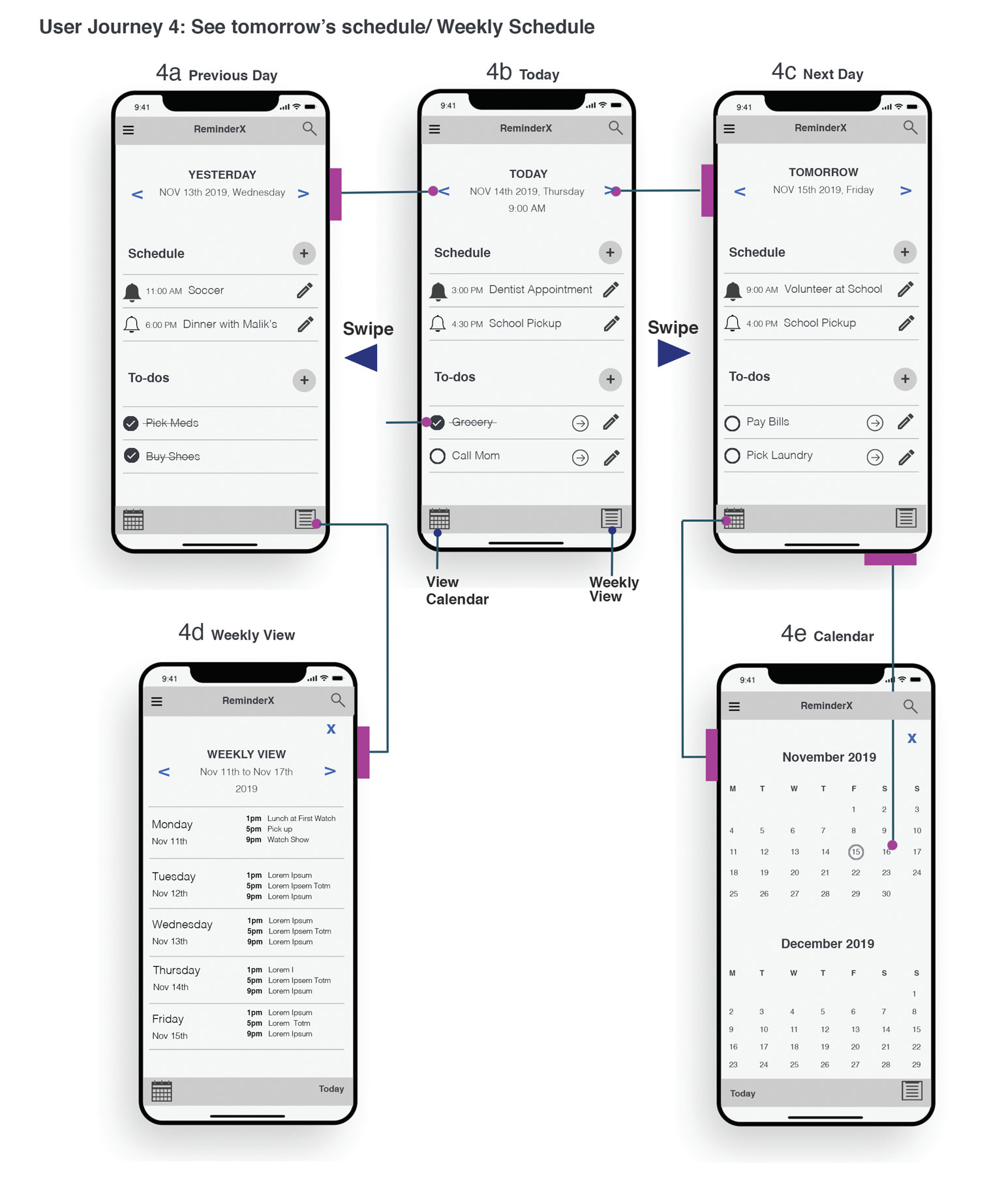
Appendix
Sketches
Requirements / Design Tenets
- Tasks and To-do’s will be two separate lists on the App:
- Tasks are items that needs a date and time attached, as an example, a doctor’s appointment.
- To-do’s are items that need to be accomplished without a timeline like Grocery shopping or returning a phone call. If not checked off by the end of the day, the to-do item will move to the next day automatically.
- Day at a Glance: Design will have the day at a glance as the main feature of the app. This will be a list of tasks and to-do items for that day. There will be functionality to see this list for any other days or a given week.
- Associate tasks to a Date and Time: People need to list a time, date and other information to a task. The Calendar will not be a main feature of the interface but it will run in the background scheduling each task.
- To-do list: The app will allow users to create a quick to-do list (no date selected). The users will have an option to change a list item to a task if needed, or transfer a list item to another day’s schedule.
- Create other lists: Have functionality to add other lists on the app, like long term to-dos, etc.
- Default Notifications: People list the tasks they believe they will forget, Design will have default alerts that can be switched off or edited for time.
- Quick Entry of tasks: Allow people to enter tasks quickly by populating information like time or date when typed, into the relevant fields.
- Collaboration of Apps: Design will have the functionality to link documents, email, notes, a website or online event to a task
- Compatibility and Sharing: Users will be able to share their tasks or complete schedule to a family member through emails or text messages etc.
- Shared Tasks & Collaborating: Design will have the functionality of sharing schedules with family members and friends (like Shared Calendar in Calendar app). Added functionality will be to add a collaborator to a task, this will add that task to the other person’s schedule.